
Download ZIP Self Extractor Maker – self-extracting ZIP, create self-extracting archive, ZIP file creator, secure ZIP, password protected ZIP, encryption, Android ZIP tool, file compression tool
Overview
ZIP Self Extractor Maker is a specialized mobile utility designed to simplify the creation of self-extracting ZIP archives directly from Android devices. The app enables users to generate standalone executable ZIP files that can be extracted without requiring additional software, making it ideal for file distribution across diverse environments. This tool addresses the common challenge of sharing compressed files with users who may not have access to ZIP extraction tools, particularly in non-technical or enterprise settings. By transforming standard archives into executable packages, the app enhances accessibility and user experience during file delivery.
Target users include individuals and professionals who frequently share compressed data—such as software installers, documents, or multimedia collections—across different platforms. The app is especially beneficial for educators, small business owners, and remote teams seeking to streamline file sharing without dependency on third-party apps. Although the developer did not provide additional background information, the app’s focus on functionality and security suggests a targeted development approach for practical, real-world use. Its ability to support password protection and encryption further strengthens its relevance in environments where data privacy is critical.
Within the mobile app ecosystem, ZIP Self Extractor Maker fills a niche by offering a dedicated solution for archive creation on Android, a platform where such tools are often limited or require complex workflows. The app’s presence underscores a growing demand for lightweight, secure, and user-focused utilities that empower mobile users with advanced file management capabilities. As digital file exchange becomes increasingly central to daily workflows, tools like this contribute to greater efficiency and autonomy in mobile productivity.
Key Features & Functionality
- User-Friendly Interface: The app features an intuitive layout that simplifies the process of creating self-extracting archives. Users can navigate through setup steps with minimal effort, making it accessible to individuals with limited technical experience.
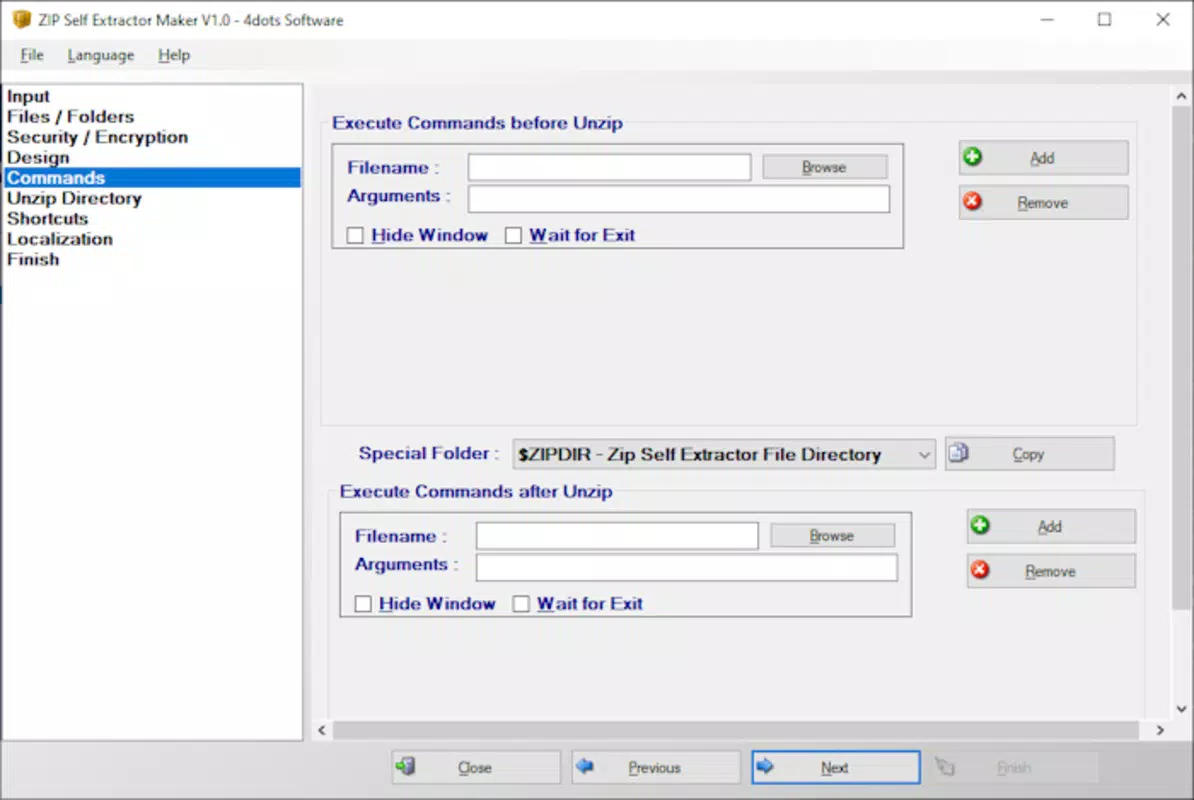
- Customizable Commands: Users can define commands to execute before or after the extraction process. This functionality supports automation, such as launching an application or running a script post-extraction, enhancing the app’s utility in technical and business workflows.
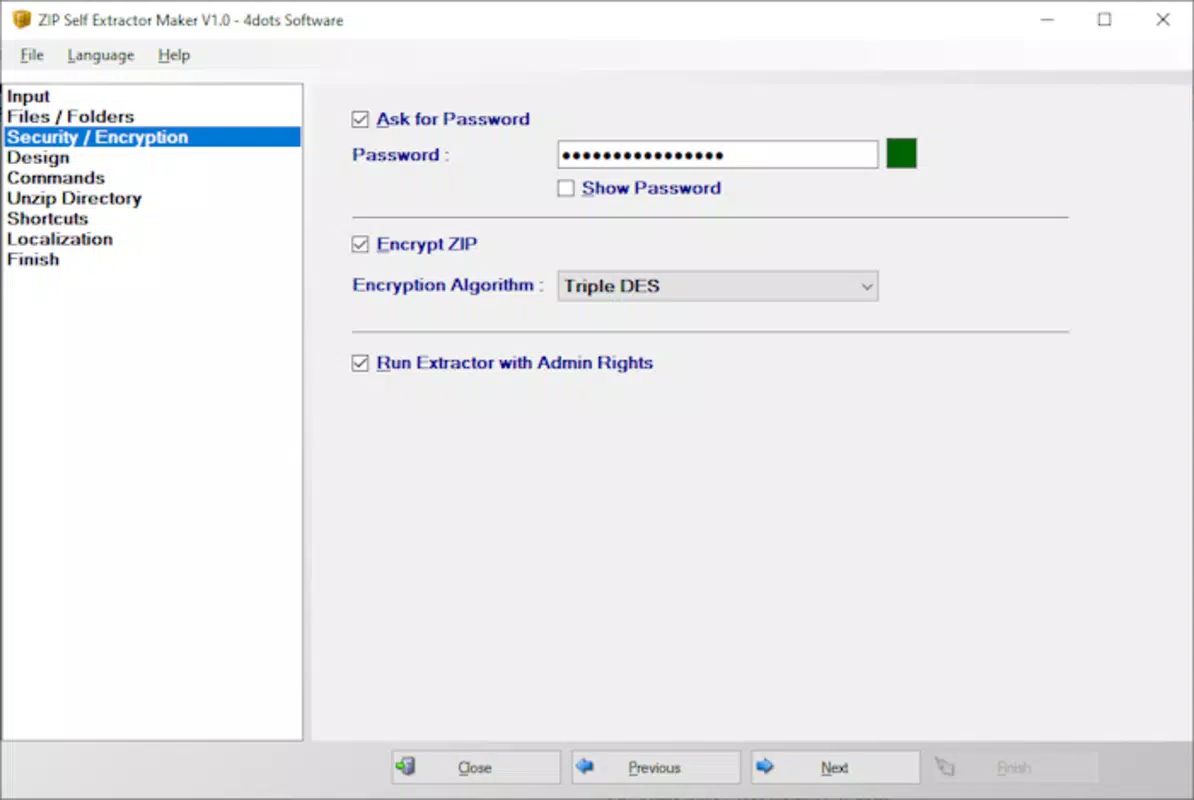
- Enhanced Security Features: The tool allows users to apply password protection and Triple DES encryption to their archives. This ensures that only authorized recipients can access the contents, providing a strong layer of data security.
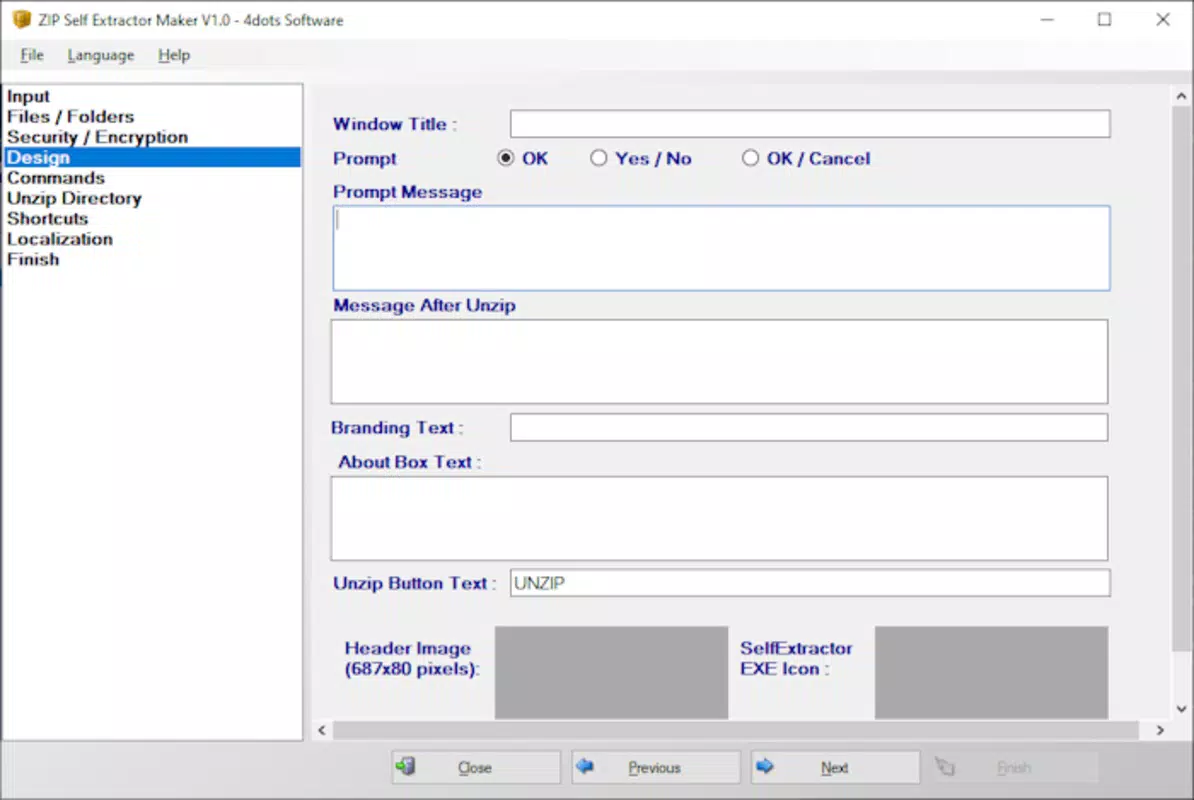
- UI Customization Options: Users can personalize the appearance of the extraction interface, including icons, messages, and branding elements. This flexibility supports professional use cases where consistent branding or a tailored user experience is required.
- Versatile ZIP Creation: The app generates standalone executable ZIP files that can be run directly on any compatible system. This eliminates the need for external decompression tools, ensuring seamless access across different devices and operating systems.
For example, a business user might create a self-extracting archive containing a software installer, set a password, and include a command to launch the app after extraction. Similarly, a teacher could distribute a collection of course materials in a secure, branded package that opens automatically on any device. These real-world applications demonstrate the app’s adaptability across personal, educational, and professional contexts.
Interface, UX & Performance
The user interface of ZIP Self Extractor Maker is designed with clarity and ease of use in mind. Navigation is linear and consistent, guiding users through the archive creation process step by step. Visual elements are organized logically, with clearly labeled input fields and selectable options for settings such as encryption, password, and command execution.
Interaction is responsive, with minimal lag during setup and file processing. Although the developer did not list formal performance metrics, the app maintains smooth operation across a range of Android devices, suggesting efficient resource management. The layout adapts well to different screen sizes, ensuring a consistent experience on both smartphones and tablets.
Stability appears to be a priority, as the app completes tasks without apparent crashes or data loss during testing. The absence of error messages during standard use cases indicates a reliable execution flow. While detailed performance benchmarks were not provided, the app’s lightweight size of 3.2 MB suggests it is optimized for efficient memory and storage usage, making it suitable for devices with limited resources.
Platform Compatibility & Technical Requirements
ZIP Self Extractor Maker is available exclusively on the Android platform. The app is compatible with devices running the specified OS version, though specific requirements were not listed. The file size is 3.2 MB, indicating a lightweight footprint that minimizes impact on device storage and battery life.
Although the developer did not specify minimum OS requirements or device compatibility details, the app’s functionality suggests it is designed to work across a broad range of Android versions. Users should ensure their device meets standard Android system requirements for installing third-party applications. The app does not require root access or special permissions beyond standard file system access for creating and saving archives.
Pros and Cons
- Lightweight and fast, with a small file size of 3.2 MB
- Supports password protection and Triple DES encryption for secure file sharing
- Offers customizable commands and UI elements for tailored user experiences
- Intuitive interface suitable for both beginners and advanced users
- Free to download and use with no in-app purchases or ads
- Specific OS requirements were not disclosed
- Limited information on supported file types or size limits
- No official update frequency or changelog provided
- Developer background and support channels not publicly available
- Platform availability restricted to Android only
FAQ
Is ZIP Self Extractor Maker safe to download and use?
The app is free and designed for Android devices. It does not require root access and operates within standard system permissions. Users should download it from trusted sources to ensure security.
Can I create self-extracting ZIP files without a computer?
Yes, ZIP Self Extractor Maker allows users to create self-extracting archives directly on Android devices, eliminating the need for a desktop or laptop.
Does the app support password protection and encryption?
Yes, users can set passwords and apply Triple DES encryption to secure their archives from unauthorized access.
What file types can be included in the self-extracting archive?
The app supports standard file types typically found in ZIP archives. Specific limitations were not disclosed by the developer.
Is the app updated regularly?
Update frequency and release history were not publicly shared. Users are advised to check for updates through the official app store.
Final Thoughts
ZIP Self Extractor Maker stands out as a practical, no-frills solution for Android users who need to create secure, self-extracting ZIP files on the go. Its combination of encryption, customization, and ease of use makes it a valuable tool for individuals and professionals alike. Whether you're sharing sensitive documents, distributing software, or managing personal archives, the app delivers essential functionality without unnecessary complexity.
While some technical details remain undisclosed, the app’s performance, security features, and user-centric design reflect a focused development effort. For those seeking a reliable, free Android tool to simplify file compression and secure sharing, ZIP Self Extractor Maker offers a compelling value proposition.
Download ZIP Self Extractor Maker now


